Email Deliverability: A Complete Guide to Reaching the Inbox
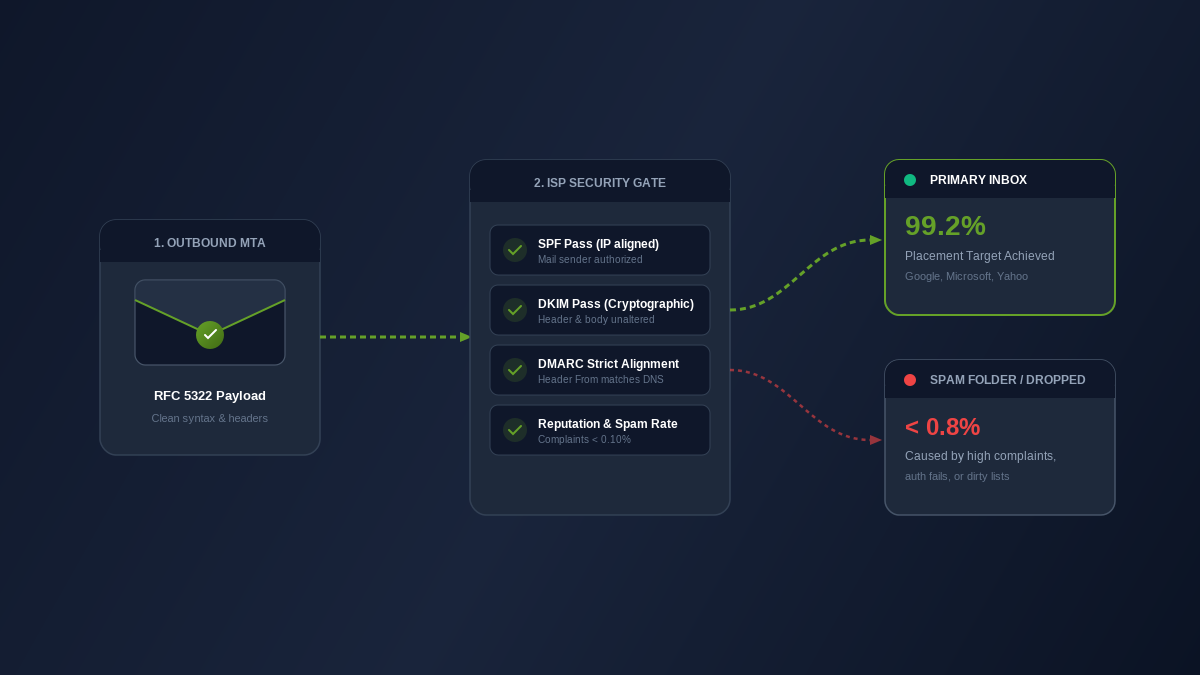
Direct Answer: Email deliverability refers to the ability of an email to successfully reach the recipient's primary inbox rather than being diverted to the spam/junk folder or blocked entirely. While delivery simply means the destination mail server accepted the message without an immediate error, deliverability reflects your overall sender reputation, cryptographic authentication, contact list hygiene, and recipient engagement.
Email Delivery vs. Email Deliverability
One of the most pervasive misconceptions in marketing is conflating Delivery Rate with Deliverability:
- Email Delivery (Accepted at the Gate): An email is technically delivered when the destination Mail Transfer Agent (MTA) responds with an RFC SMTP status code of
250 2.0.0 OK. This confirms the receiving server accepted the message payload. - Email Deliverability (Inbox Placement): Once the server accepts the email, internal heuristic filters decide where to place it: the Primary Inbox, a secondary tab (e.g. Promotions), or the Spam / Junk folder. Deliverability measures your ability to land in front of the human recipient's eyes.
Delivery Rate = (Total Sent - Bounces) / Total Sent
Deliverability (Inbox Placement) = Messages Landed in Inbox / Total Accepted Messages
What Really Influences Sender Reputation
Mailbox providers analyze incoming traffic across several interconnected telemetry pillars:
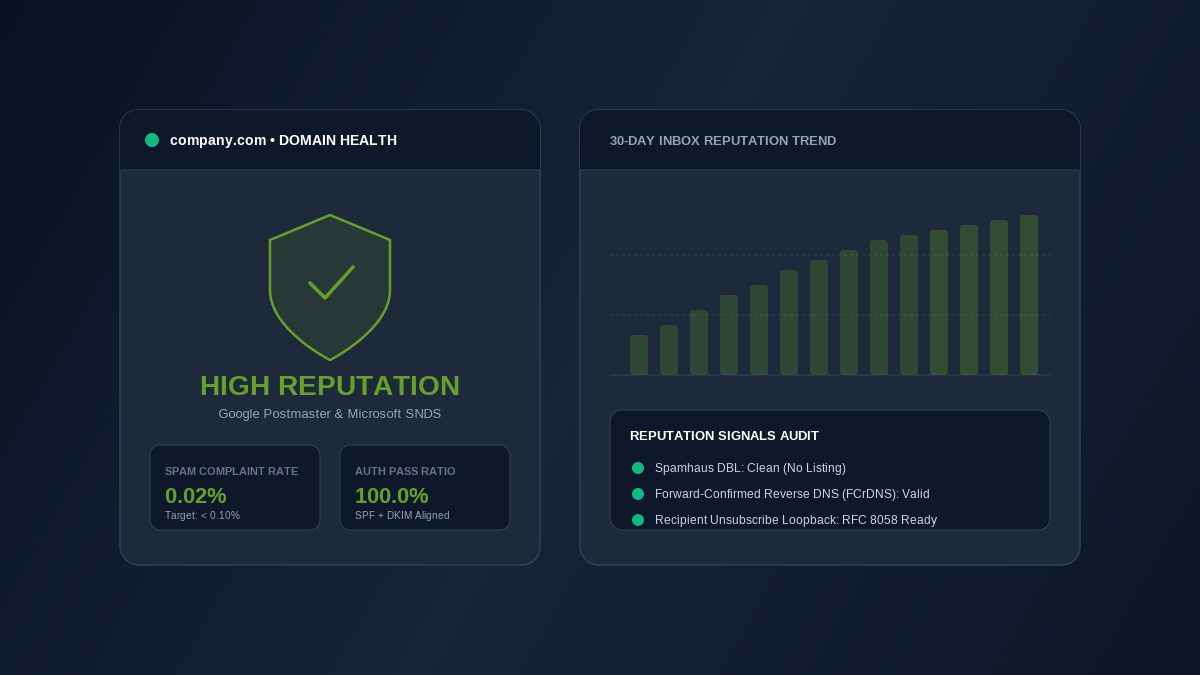
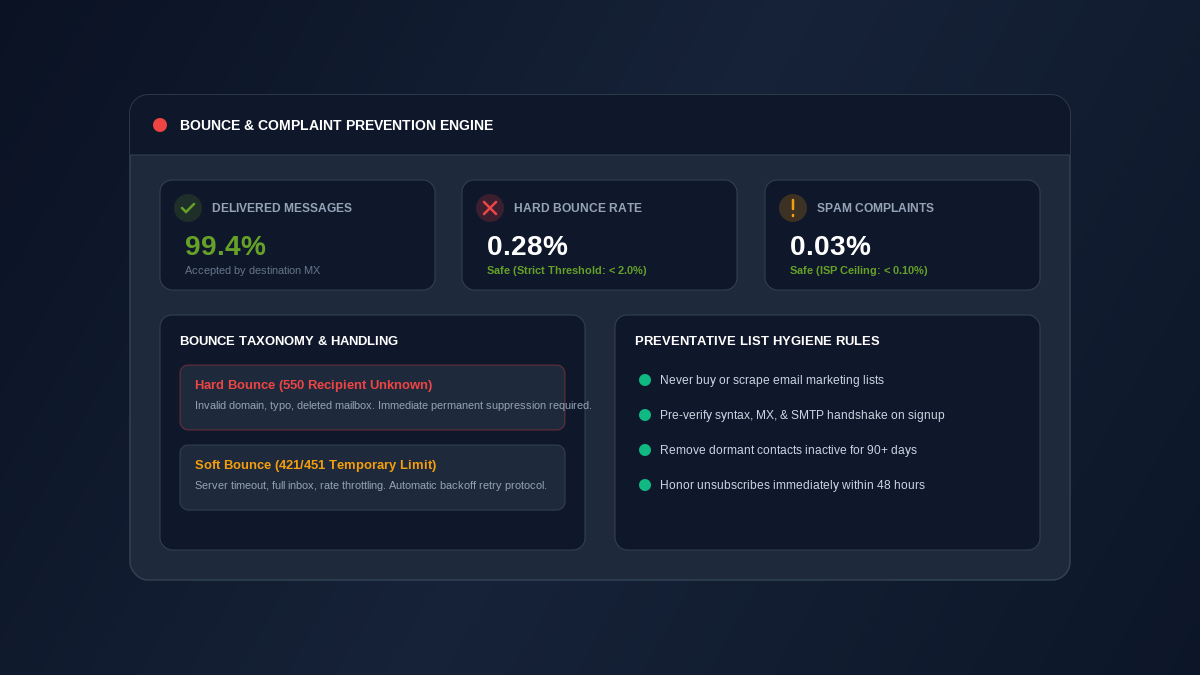
- Spam Complaint Rate: The percentage of recipients who actively click "Report Spam" or "Mark as Junk". In 2026, mailbox providers enforce zero-tolerance thresholds: keeping spam complaints below 0.10% (1 per 1,000 sent) is mandatory.
- Hard Bounce Ratios: Repeatedly attempting delivery to non-existent mailboxes (resulting in
550 5.1.1failures) is the clearest signal of an unverified or purchased list. - Spam Traps & Honeypots: Sending to pristine honeypots (addresses created specifically to catch scrapers) causes immediate, severe domain blacklisting by organizations like Spamhaus.
- Positive Engagement: Replies, opens, message forwarding, and moving emails out of the spam folder into the primary inbox act as strong positive signals.
The Essential Technical Foundation: SPF, DKIM & DMARC
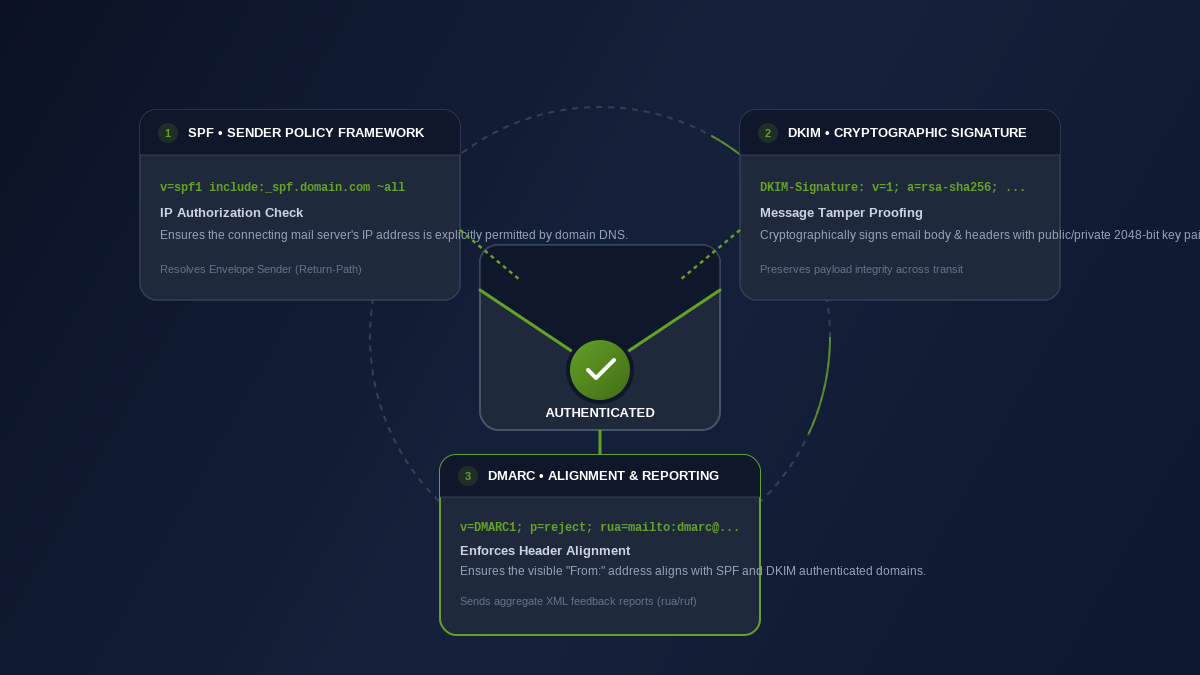
Modern deliverability is impossible without strict DNS authentication. If your domain fails authentication, major inbox providers will either throttle or reject your mail entirely:
- SPF (Sender Policy Framework): Defines which IP addresses are authorized to send mail on behalf of your envelope domain.
- DKIM (DomainKeys Identified Mail): Verifies that the message body and critical headers were signed by the domain owner and remained unaltered in transit.
- DMARC: Enforces alignment between the visible
From:header and the authenticated SPF/DKIM domains. For full setup instructions, read our guide on SPF, DKIM, and DMARC Explained.
List Hygiene and Explicit Recipient Consent
Deliverability begins before you compose your email. High deliverability requires verified consent and regular list pruning:
- Double Opt-In: Confirms recipient intent and guarantees the submitted address actually exists.
- Sunset Policies: Automatically unsubscribe or suppress contacts who haven't opened or clicked an email in 90 to 180 days.
- Pre-Send List Verification: Regularly clean historical contact databases to strip out dormant addresses and syntax errors. Compare approaches in Email Verification vs Email Warmup.
The Mathematics of Bounce Rates and Complaints
| Metric | Target Benchmark | Warning Zone | Critical Penalty Zone |
|---|---|---|---|
| Spam Complaints | < 0.05% | 0.10% | > 0.30% (Automatic Spam Folder Placement) |
| Hard Bounce Rate | < 0.5% | 1.0% – 1.9% | ≥ 2.0% (Domain Throttling / Defers) |
| Unsubscribe Rate | < 0.3% | 0.5% – 0.8% | > 1.0% (Signal of Misaligned Expectations) |
Learn how to diagnose and resolve spikes in our complete guide on Email Bounce Rates and Spam Complaints.
Cadence Consistency and Content Quality
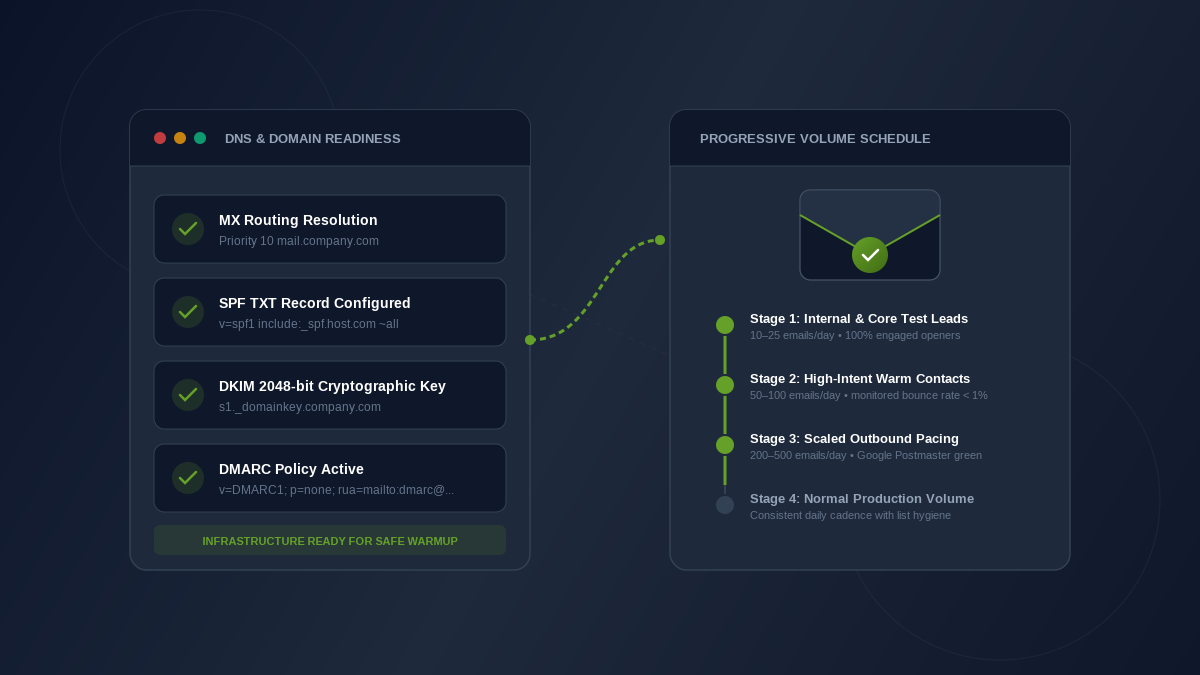
Sending volume must remain predictable. Erratic volume spikes—such as sending 500 emails per week followed by an unannounced blast of 50,000 emails on Cyber Monday—resemble compromised servers and trigger automated spam filters. Plan consistent weekly sending schedules, and always follow a proper email domain warmup process when increasing sending limits.
Current Expectations from Google, Microsoft, and Yahoo
In 2024–2026, Google and Yahoo introduced synchronized mandatory sender requirements for organizations delivering high volumes. Key mandates include:
- Mandatory DMARC policy for all bulk senders (delivering 5,000+ messages per day).
- Strict alignment between the
From:header and the authenticated DKIM domain. - One-click unsubscribe headers (
List-Unsubscribe: <https:...>andList-Unsubscribe-Post: List-Unsubscribe=One-Clickper RFC 8058) for subscribed commercial mail. - Enforcing spam rates under 0.10% and strictly below 0.30% in Google Postmaster Tools. See our complete breakdown in Gmail Sender Requirements.
Essential Tools for Monitoring Deliverability
- Google Postmaster Tools (GPT): The gold standard for monitoring domain reputation, IP reputation, spam rates, and authentication compliance for Gmail inboxes.
- Microsoft Smart Network Data Services (SNDS): Tracks IP reputation, spam complaints, and spam trap hits across Outlook.com and Hotmail.
- DMARC Aggregate Analyzers: Process XML telemetry reports (
rua) to detect unauthorized spoofing attempts or misconfigured sending nodes.
The Complete Email Deliverability Checklist
- ✓ Valid SPF record with zero syntax errors and under 10 DNS lookups.
- ✓ 2048-bit DKIM key active on all outbound mail streams.
- ✓ DMARC policy configured with an active aggregate reporting mailbox.
- ✓ Forward-confirmed reverse DNS (PTR) configured on all sending IPs.
- ✓ List-Unsubscribe header present with RFC 8058 one-click support.
- ✓ Contact database verified with zero hard bounces on dispatch.
- ✓ Spam complaint rate tracked below 0.10% in Google Postmaster Tools.
Achieve Pristine Email Deliverability
Deliverability starts with clean data. Eliminate bad syntax, non-existent mailboxes, and disposable inboxes with Emails Verification's instant multi-stage verification engine.
Explore Deliverability Features ➔Frequently Asked Questions
Why does my ESP report 99% delivery when my open rates are only 8%?
Because 'delivery rate' only measures whether the receiving mail server returned a 250 OK handshake (acknowledging packet receipt). It tells you nothing about whether the message landed in the Primary Inbox, Promotions, or the Junk folder. True deliverability is inbox placement.
Can any SaaS platform guarantee 100% inbox placement?
No. Inbox placement is dynamically decided by complex machine learning models at Google, Microsoft, and other providers that inspect millions of signals, including per-user engagement history. Anyone claiming a 100% inbox guarantee is misrepresenting how modern email protocols function.
How does list cleaning impact deliverability?
List cleaning directly removes non-existent addresses, expired mailboxes, spam honeypots, and syntax errors. Keeping hard bounces under 1% and eliminating spam traps protects your sender score, preventing mailbox algorithms from diverting future campaigns into the spam folder.