Email Domain Reputation: How to Monitor and Protect It
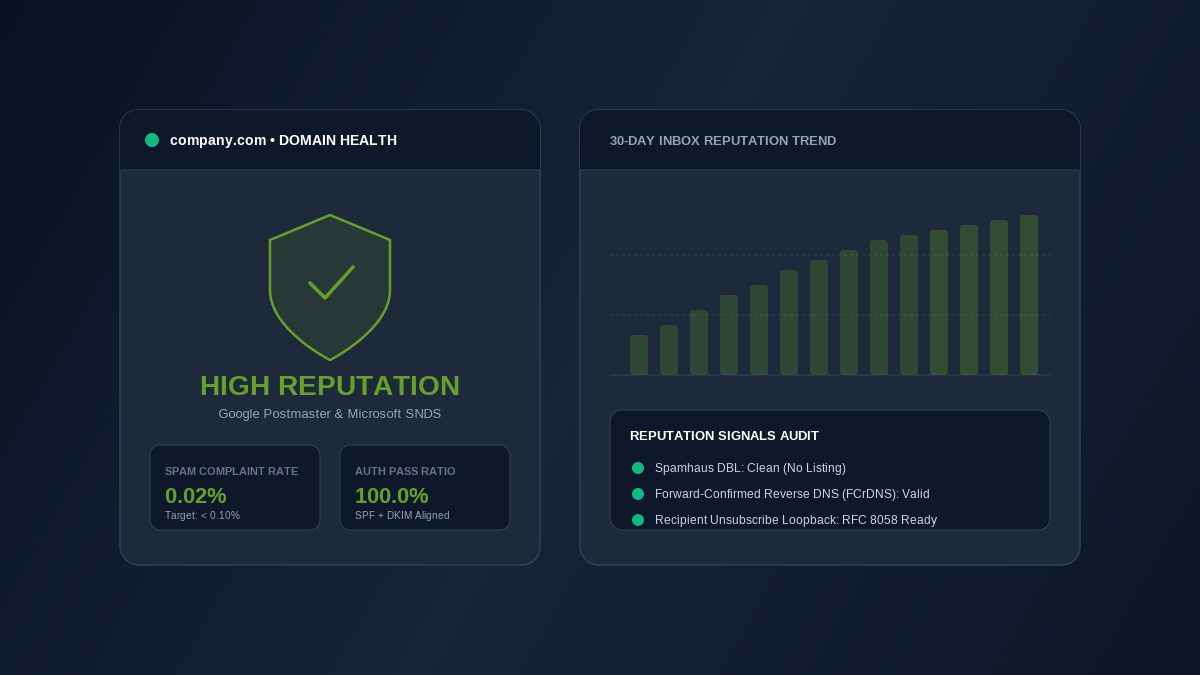
Direct Answer: Email domain reputation is a health and trustworthiness rating assigned to your domain name by destination Internet Service Providers (ISPs) based on historical sending behavior, cryptographic authentication, recipient engagement, hard bounce frequencies, and spam complaint ratios. Unlike IP reputation, domain reputation persists across different servers and Email Service Providers.
Domain Reputation vs. IP Reputation in Modern Filtering
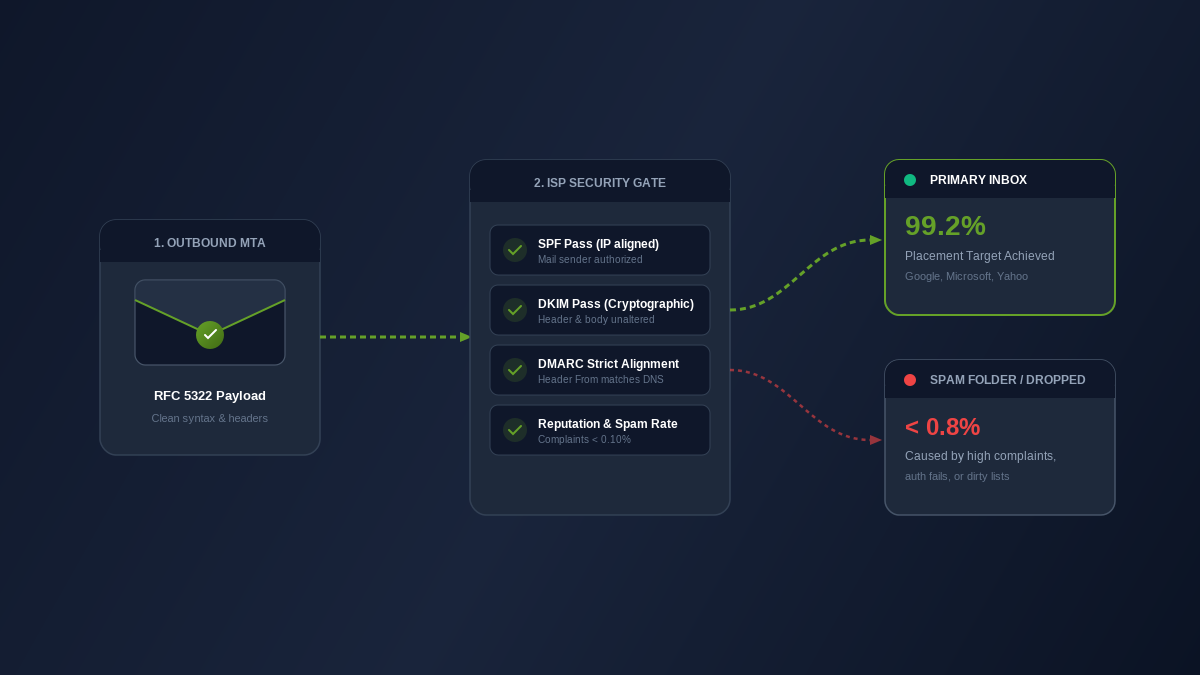
In the early days of email marketing, ISPs relied primarily on IP blocklists to intercept spammers. However, modern cloud architectures and pooled IP relays made pure IP-based filtering inadequate. If a bad actor shared an IP with legitimate senders, innocent businesses suffered collateral damage.
Today, mailbox providers evaluate your domain identity as the primary trust anchor:
- Domain Reputation: Associated directly with your sending domain, DKIM cryptographic signature (
d=company.com), andFrom:address. If you move your sending from one ESP to another, your domain reputation follows you. - IP Reputation: Measures the network hygiene of the physical server IP address routing your traffic. Both layers must be healthy for consistent inbox placement.
Core Factors That Govern Your Domain Reputation
Major mailbox providers (including Google, Microsoft, and Yahoo) deploy continuous machine learning models that analyze billions of data points. The most influential factors include:
| Signal | Impact on Reputation | Safe Operational Range |
|---|---|---|
| User-Reported Spam Rate | Severe Negative: The fastest way to destroy domain standing. | < 0.10% (Target: < 0.05%) |
| Hard Bounce Rate | High Negative: Signals scraped or stale data. | < 0.5% (Hard limit: < 2.0%) |
| Positive Human Engagement | Strong Positive: Opens, replies, forwards, moving from spam to inbox. | Consistent reply & interaction rates |
| Spam Trap Hits | Catastrophic Negative: Triggers Spamhaus DBL listings. | 0 hits across all lists |
| Authentication Alignment | Mandatory Baseline: SPF, DKIM, and DMARC passing. | 100% compliance required |
Impact of Bounce Rates and Spam Complaints
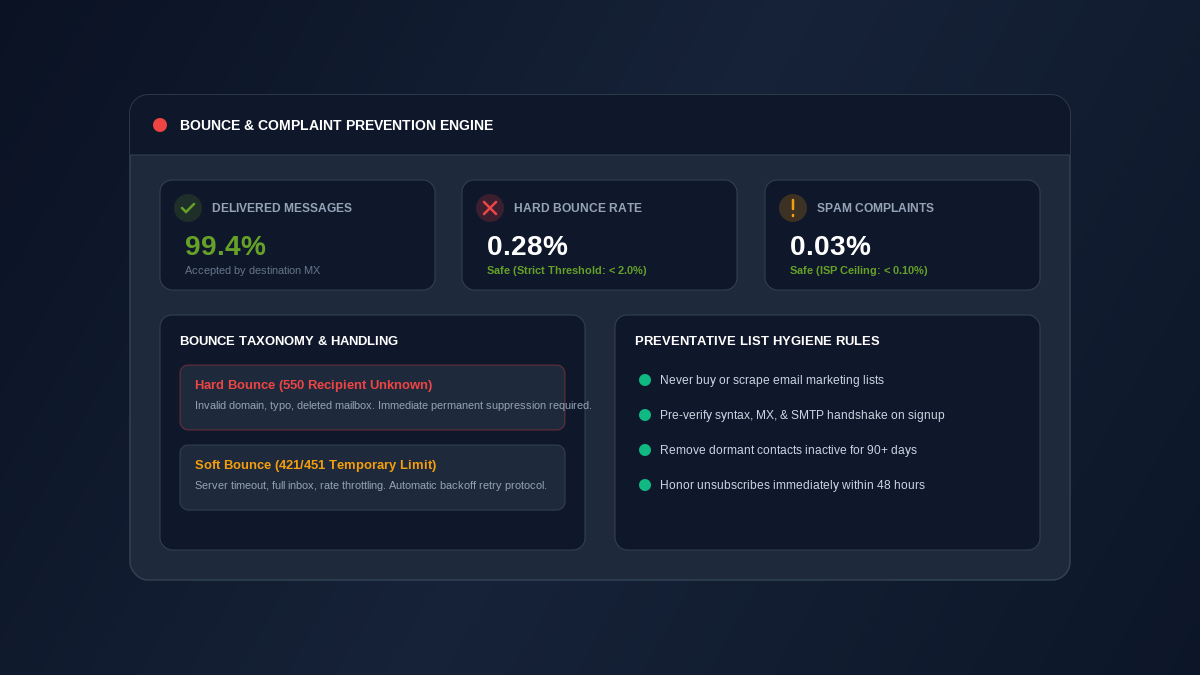
When an email bounces permanently because the mailbox does not exist (SMTP code 550 5.1.1), the destination mail server records a negative event. A high volume of hard bounces indicates that you do not maintain permission-based records. Pre-verifying your database with our real-time email verifier prevents these negative marks.
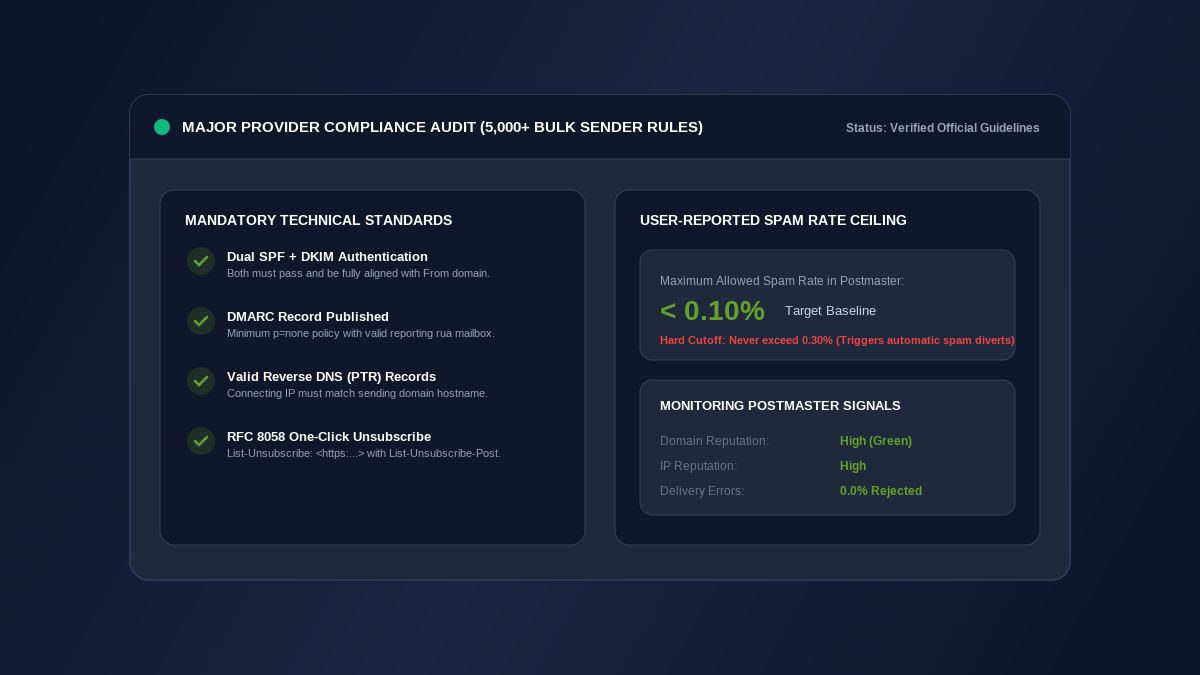
Spam complaints are even more harmful. If a recipient clicks "Report Spam" in Gmail or Outlook, it communicates direct user dissatisfaction. Exceeding a 0.30% spam complaint rate will cause Google to automatically divert all subsequent emails into the spam folder, as detailed in our guide on Gmail Sender Requirements.
The Role of Explicit Consent and Data Quality
Purchased, rented, or scraped contact lists are toxic to domain reputation. These files invariably contain:
- Pristine Spam Traps: Email addresses created by security organizations that have never signed up for any service. Mailing them proves automated list scraping.
- Recycled Honeypots: Abandoned email accounts repurposed by mailbox providers to identify senders with poor list maintenance.
- Spelling Typos & Disposable Inboxes: Temporary addresses that disappear within hours.
Authentication: SPF, DKIM, DMARC, and PTR
Domain reputation cannot protect you if your sending domain is not cryptographically secured. Receiving servers require:
- SPF: Authorized IPs published in public DNS.
- DKIM: 2048-bit digital signature proving the message body was not altered.
- DMARC: Explicit domain alignment instructions. See SPF, DKIM, and DMARC Explained.
- Reverse DNS (PTR): Forward-Confirmed Reverse DNS (FCrDNS) verifying that the connecting IP resolves back to the hostname.
How to Monitor Reputation via Official Provider Tools
Instead of relying on fabricated third-party vanity scores, monitor reputation directly from the mailbox providers themselves:
- Google Postmaster Tools (GPT): Displays your exact domain reputation tier:
- High: Excellent track record, nearly 100% inbox placement.
- Medium: Occasional complaints or bounces; mostly inboxed but vulnerable to filtering.
- Low: Substantial spam complaints or bounces; frequently routed to spam.
- Bad: Extreme delivery problems; messages dropped or rejected at connection.
- Microsoft Smart Network Data Services (SNDS): Provides data on Outlook and Hotmail IP health, complaint rates, and spam trap hits.
- Spamhaus Domain Blocklist (DBL): Check Spamhaus Domain Lookup to ensure your domain is not listed as a source of spam or phishing.
Warning Signs of Deteriorating Domain Reputation
- Sudden drop in overall open rates across Gmail or Microsoft recipients while other domains remain stable.
- Increase in temporary
421 4.7.0server throttling deferrals. - Google Postmaster Tools downgrading your domain reputation from "High" to "Medium" or "Low".
- Marketing emails appearing in the spam folder even for engaged subscribers.
Actionable Reputation Maintenance Checklist
- ✓ Set up and verify Google Postmaster Tools for your primary and secondary sending domains.
- ✓ Maintain a strict sunset policy (remove inactive contacts after 90 days).
- ✓ Validate all new lead submissions before dispatching welcome sequences.
- ✓ Monitor daily spam complaint rates and keep them strictly below 0.10%.
- ✓ Ensure one-click unsubscribe headers (RFC 8058) are present on all marketing mail.
- ✓ Avoid irregular volume spikes; maintain predictable weekly sending pacing.
Shield Your Domain Reputation Today
Protect your sender score by identifying invalid addresses, spam traps, and dead mail exchangers before you send. Test single addresses or upload bulk lists with Emails Verification.
Audit Your Email Lists ➔Frequently Asked Questions
Can I check my domain reputation with an arbitrary single 0–100 score?
No universal public 'domain credit score' exists across all email systems. Different mailbox providers (Google, Microsoft, Yahoo, Apple) maintain independent, private machine-learning models that evaluate incoming traffic. Official monitoring tools like Google Postmaster Tools categorize reputation into four clear tiers: High, Medium, Low, and Bad.
How long does it take to repair a damaged domain reputation?
Repairing a damaged domain reputation typically takes between 3 to 8 weeks of disciplined sending. You must immediately halt sending to stale lists, pre-verify all addresses, maintain spam complaints strictly under 0.05%, and send only to your most engaged subscribers to generate positive engagement signals.
Does changing my sending IP address reset my domain reputation?
No. Modern spam filters track your domain identity (specifically your DKIM signing domain d= and From: address) independently of IP addresses. Changing sending IPs without fixing underlying list quality or authentication issues will simply cause the new IP to inherit your negative domain reputation.