How to Warm Up a New Email Domain Safely
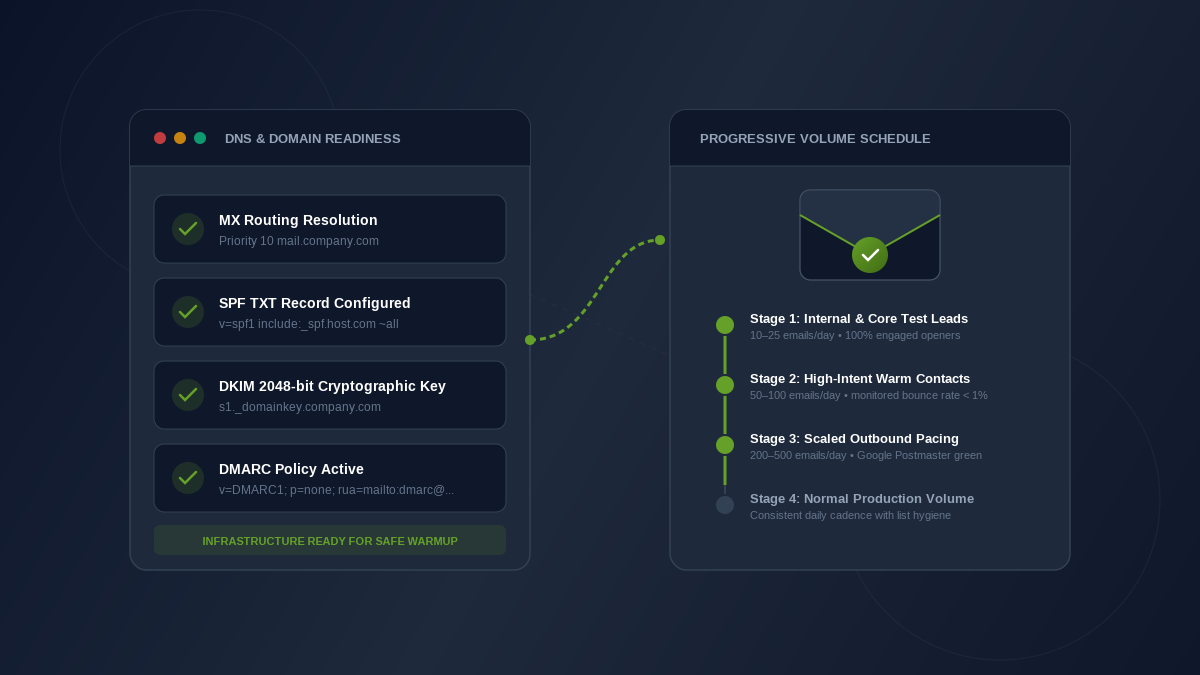
Direct Answer: To warm up a new email domain safely, you must first verify SPF, DKIM, and DMARC DNS alignment, configure reverse DNS (PTR), and start sending low-volume, highly expected emails (such as transactional confirmations or hand-written customer inquiries) to contacts who routinely open and reply. Gradually increase your daily dispatch volume across 3 to 5 weeks while monitoring bounce rates (keeping them under 1%) and spam complaints (strictly under 0.10%).
What Happens When a Domain Sends for the First Time
When you register a brand new domain name (e.g., acme-mail.com) and initiate an SMTP connection to a mail server at gmail-smtp-in.l.google.com, the receiving mail daemon conducts automated real-time diagnostics:
- It checks WHOIS registration age (domains registered within the last 30 days are automatically placed in a high-risk sandbox).
- It verifies DNS MX records, SPF authorization, and DKIM cryptographic signature validity.
- It verifies Forward-Confirmed Reverse DNS (FCrDNS), ensuring the sending server's IP address resolves to the hostname announced in the SMTP
HELO/EHLOgreeting. - It checks global threat intelligence blocklists (such as Spamhaus DBL, Barracuda, and Invaluement).
If all technical checks pass, destination filters allow a conservative volume of messages through to observe human recipient behavior. If recipients read, star, or reply to the messages, domain reputation rises. If recipients click "Report Spam" or messages bounce, the domain is immediately restricted.
Step 1: Preparing Domain & DNS Infrastructure
Never send email directly from your root domain if you are establishing separate cold outreach or marketing streams. Best practice involves configuring dedicated secondary domains (e.g., getacme.com or acmeapp.io) to isolate marketing reputation from vital transactional notifications.
Ensure that your sending domain hosts a clean, accessible website with a valid SSL certificate, published terms of service, and clear privacy policies. Mailbox providers actively crawl sender domains to confirm legitimacy.
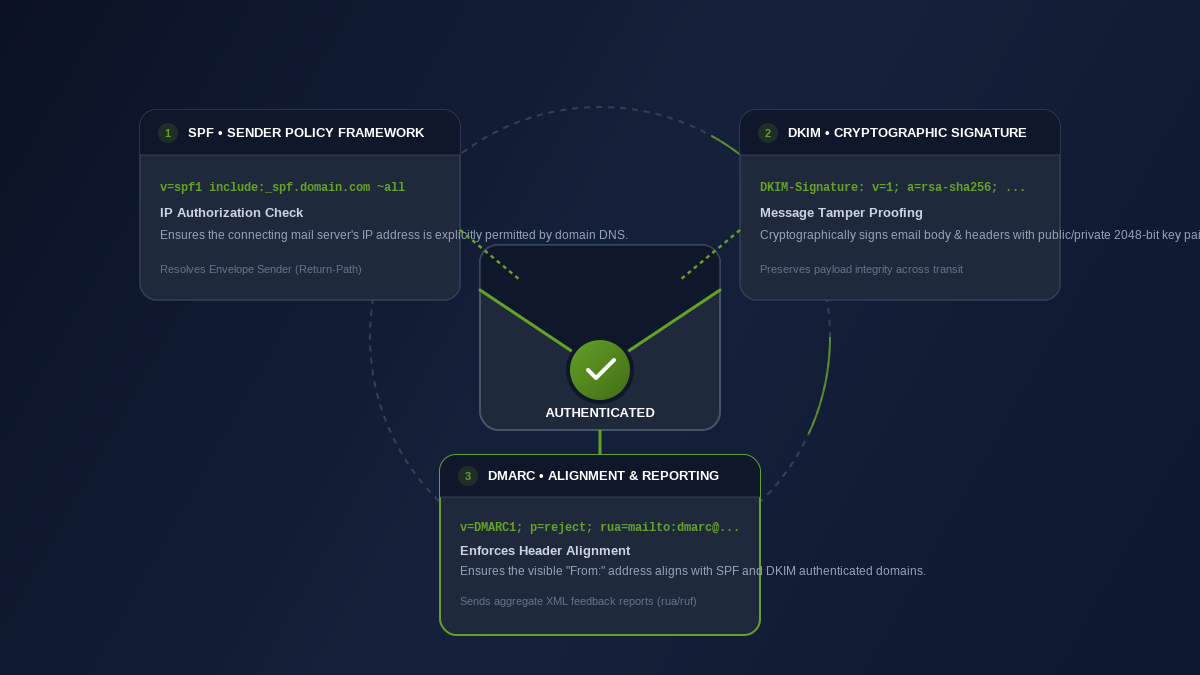
Step 2: Checking SPF, DKIM, and DMARC Alignment
Every sending system must have three cryptographic records configured in public DNS before initiating warmup:
- SPF TXT Record: E.g.,
v=spf1 include:_spf.google.com ~all(avoid using+allwhich opens your domain to global spoofing). - DKIM 2048-bit Key: Generated by your mail server or ESP and published as a TXT record at
[selector]._domainkey.yourdomain.com. - DMARC Record: E.g.,
v=DMARC1; p=none; rua=mailto:[email protected]. Ap=nonepolicy allows you to collect diagnostic XML reports without dropping legitimate mail during initial testing.
For detailed implementation guidance, review our in-depth reference on SPF, DKIM, and DMARC Explained.
Step 3: Starting with Permission-Based Contacts
Warming up a domain with cold contacts or unverified lists is the primary cause of sudden blacklisting. Instead, structure your initial recipients intentionally:
- Phase 1 Contacts: Colleague inboxes, internal team accounts across Google Workspace, Outlook 365, Yahoo, and iCloud. Exchange genuine two-way conversations.
- Phase 2 Contacts: Most engaged newsletter subscribers, high-touch trial customers, or recent buyers who have demonstrated high affinity for your brand.
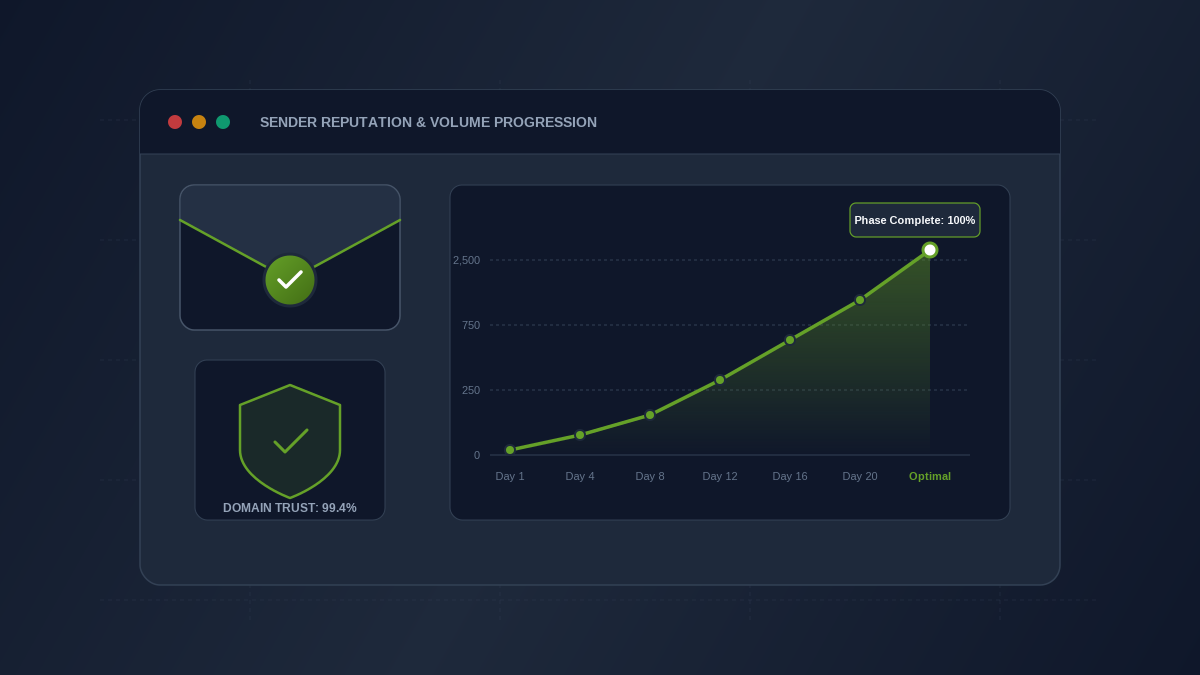
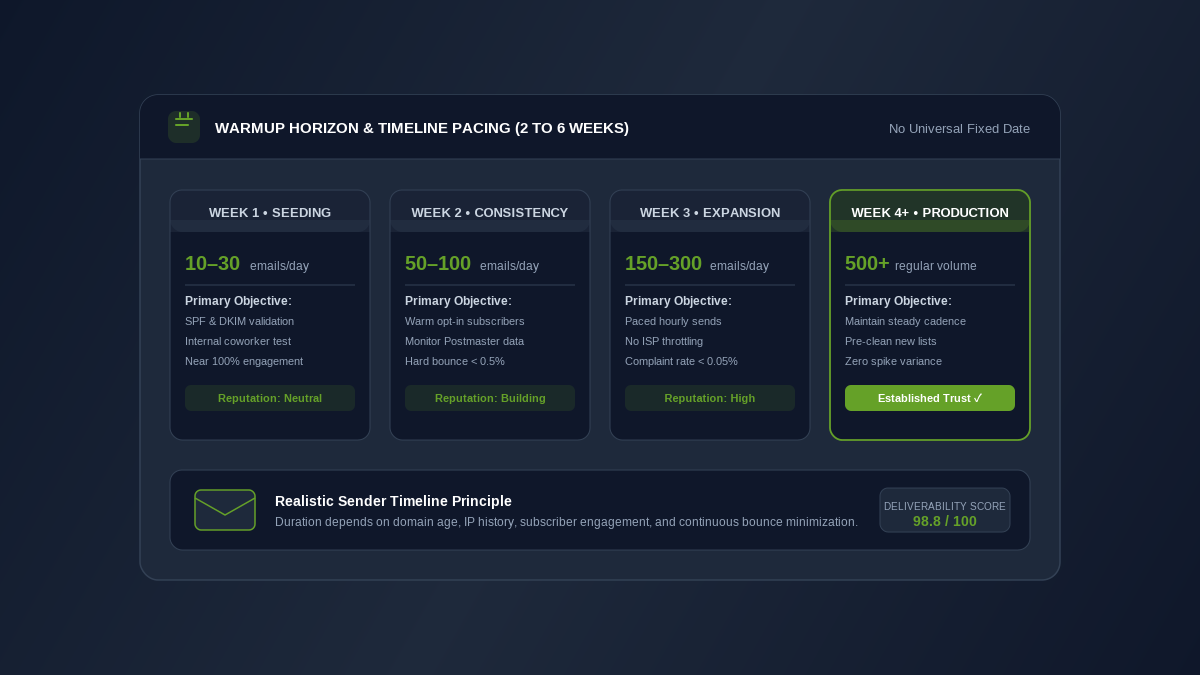
Step 4: Introducing Volume Consistently
Rather than following rigid, artificial charts, pace your sending based on real delivery metrics:
| Warmup Stage | Recommended Daily Volume | Target Engagement Signals |
|---|---|---|
| Stage 1 (Days 1–7) | 15–30 emails/day | 100% known contacts, 0 bounces, high reply rate |
| Stage 2 (Days 8–14) | 40–80 emails/day | Engaged opt-in subscribers, bounce rate < 0.5% |
| Stage 3 (Days 15–21) | 100–250 emails/day | Google Postmaster Tools data begins appearing |
| Stage 4 (Days 22–30+) | 300–750+ emails/day | Full production volume with hourly pacing throttles |
For more details on timeline expectations and variables, consult How Long Does Email Warmup Take?.
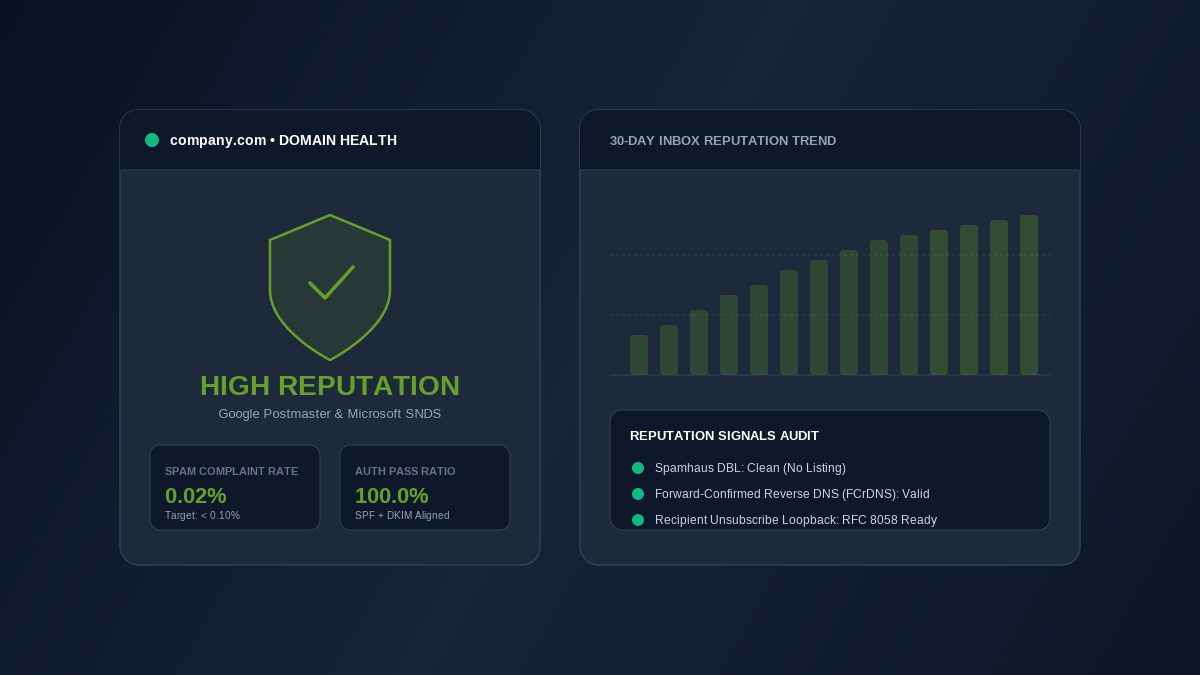
Step 5: Monitoring Bounces, Deferrals & Complaints
During warmup, continuously audit incoming SMTP telemetry:
- Deferral Codes (4xx): Responses like
421 4.7.0 Try again laterindicate destination servers are rate-limiting your connection. Immediately pause sending for 4 to 6 hours. - Hard Bounces (550): Never send to an address that has returned a 550 error code. Automatically suppress bounced recipients across your entire system. Learn more in our guide on Email Bounce Rates and Spam Complaints.
- Google Postmaster Tools: Add and verify your domain in Google Postmaster Tools to monitor domain reputation, IP reputation, and spam complaint rates directly from Google.
Critical Mistakes That Destroy New Domains
- Purchasing or Scraping Contact Lists: Even a tiny percentage of spam honeypots will trigger instant Spamhaus listings.
- Using Artificial Bot Engagement Networks: Modern AI filtering algorithms recognize unnatural click patterns and penalize participating domains.
- Sending All Emails in One Burst: Dispersing emails evenly throughout the business day via SMTP queuing prevents burst throttling.
Practical Pre-Launch Readiness Checklist
- ✓ Domain registered for at least 14 days before active outbound campaigns.
- ✓ Professional website published with HTTPS, Contact, and Privacy pages.
- ✓ SPF record published and verified via DNS lookup.
- ✓ DKIM 2048-bit selector active and cryptographically verified.
- ✓ DMARC policy configured with aggregate reporting (
rua) mailbox. - ✓ Forward and reverse DNS (PTR) aligned with SMTP banner greeting.
- ✓ Contact list pre-cleaned with real-time email verification.
Eliminate Invalid Addresses Before Warming Up
Warming up on a list with dead mailboxes or syntax errors damages your domain on Day 1. Run your prospect list through our enterprise verification engine to strip out toxic records instantly.
Inspect Your Email List Now ➔Frequently Asked Questions
Can I use an arbitrary 14-day schedule to warm up my domain?
No universal schedule guarantees success. A sender dispatching high-converting transactional receipts can scale faster than a cold outbound team because subscriber engagement and complaint rates differ radically. Progress should be dictated by real reputation telemetry (like Google Postmaster Tools), not an arbitrary calendar.
Should I purchase an aged domain instead of a new one for sending?
Aged domains can be helpful if they possess an unblemished, positive sending history. However, many auctioned aged domains were previously spammed, blacklisted by Spamhaus, or dropped by corporate security filters. Always audit DNS history, blacklist status, and historical MX records before using an aged domain.
What is the maximum bounce rate allowed during domain warmup?
During domain warmup, keep your bounce rate strictly under 1.0% (and ideally below 0.5%). Exceeding a 2.0% bounce rate triggers automated spam diversion with major ISPs. Pre-verifying your contact list with a real-time SMTP tool is mandatory.