What Is Email Warmup? A Complete Beginner's Guide
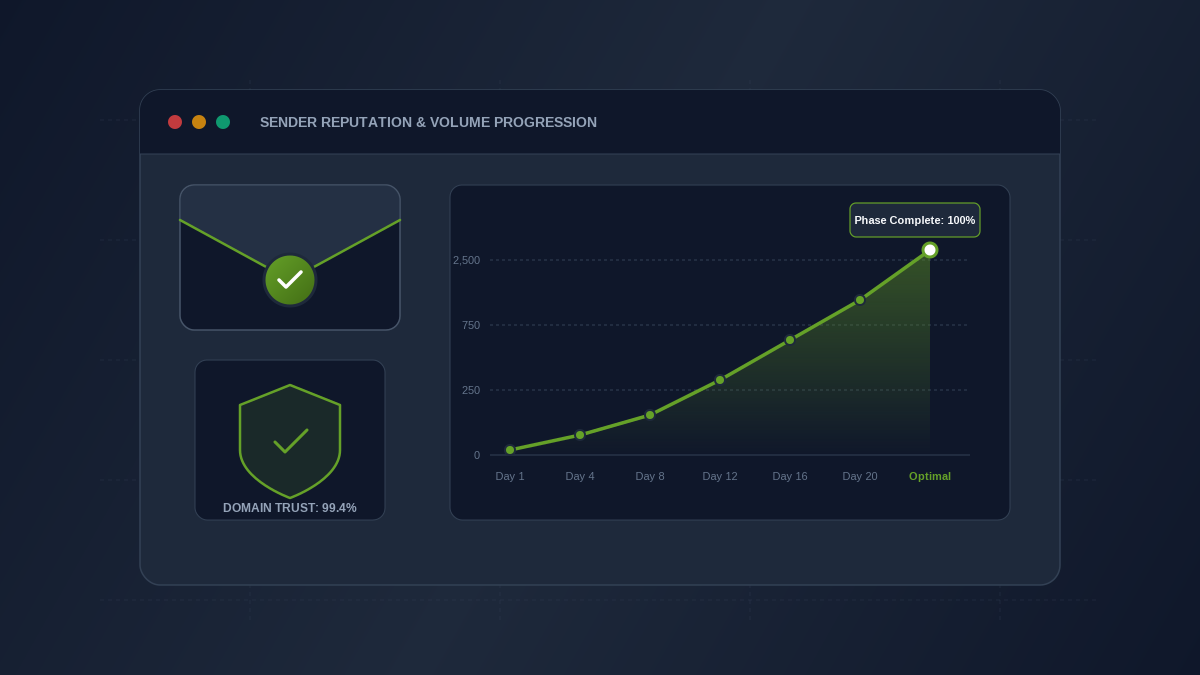
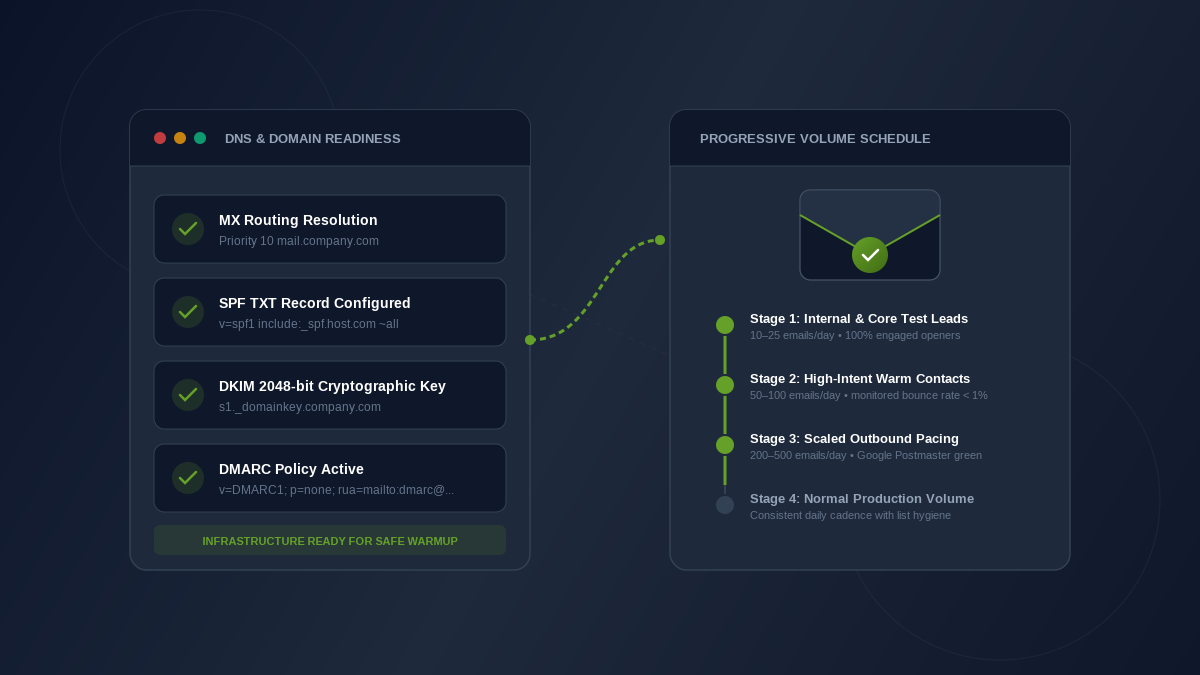
Direct Answer: Email warmup is the disciplined, progressive process of establishing a positive sender reputation for a new or inactive sending domain and IP address. By starting with very low daily sending volumes to your most engaged subscribers and incrementally increasing volume over several weeks, you allow destination Internet Service Providers (like Google Workspace, Microsoft 365, and Yahoo) to observe valid authentication, zero spam complaints, and steady recipient interaction before handling full production volume.
Why New or Inactive Domains Require Preparation
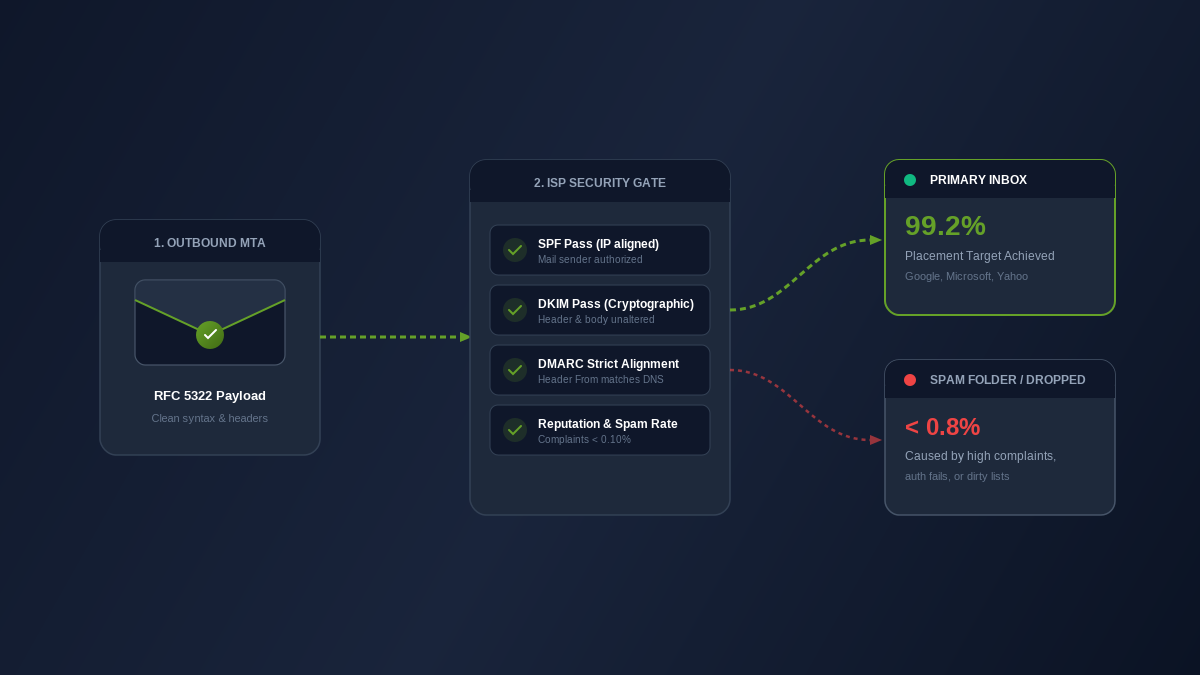
When an Internet Service Provider (ISP) or corporate mail exchanger receives an inbound SMTP handshake from an unfamiliar domain name, it possesses zero historical telemetry. In the eyes of modern mail defense algorithms, no reputation is treated with extreme suspicion. Spammers and phishing syndicates routinely register disposable domains and blast millions of unsolicited emails within hours before abandoning them.
If a newly registered domain immediately fires off 1,000 outbound cold outreach or marketing messages on Day 1, destination security filters will automatically throttle the connection (returning temporary 421 or 451 deferrals) or route the messages straight to the junk folder. Email warmup solves this "cold-start problem" by methodically proving you are a legitimate, responsible sender.
Email warmup is not a magic badge or an automated loophole. It is an operational discipline that demonstrates consistent, predictable, and compliant sending patterns over time. To learn the step-by-step setup, read our guide on how to warm up an email domain safely.
Domain Reputation vs. IP Reputation vs. Sender Score
Modern deliverability relies on distinct identity layers evaluated in parallel by destination mail filters:
| Reputation Layer | What It Evaluates | Portability & Persistence |
|---|---|---|
| Domain Reputation | The trustworthiness of your From: domain, DKIM signing domain (d=), and Return-Path across all servers. |
High Portability: Follows your brand even if you switch SMTP relays, ESPs, or IP addresses. |
| IP Reputation | The historical traffic behavior, bounce volume, and complaint rates originating from your specific sending IPv4/IPv6 address. | Server-Bound: Tied to the dedicated or shared IP address assigned by your mail service provider. |
| Content & Header Scoring | Real-time inspection of email headers, RFC compliance, tracking links, and unsubscribe headers. | Per-Message: Evaluated on every single socket transmission in real time. |
Historically, spam filtering relied almost exclusively on IP blocklists. However, because cloud providers and shared Email Service Providers (ESPs) cycle IP pools continuously, mailbox providers like Google and Microsoft now weight domain reputation as the primary factor. For a deep dive into protecting these signals, see our guide on monitoring email domain reputation.
How Legitimate Sending Builds Reliable History
A legitimate warmup process mirrors natural business growth. When you begin sending from a new sending infrastructure, follow these golden principles:
- Consistent Sending Cadence: Sending 40 emails every weekday builds trust much faster than sending 0 emails for four days followed by a sudden burst of 200 emails on Friday afternoon. Spikes trigger defensive anti-abuse algorithms.
- Initial High-Intent Audience: Start by sending transactional confirmations, one-on-one personal correspondence, or messages to customers who explicitly requested your onboarding emails.
- Monitoring Error Codes: Inspect bounce reports immediately. If target servers return
450 4.2.1 The user you are trying to contact is receiving mail at a rate that prevents additional messages, destination servers are telling you to slow down.
The Foundation: SPF, DKIM, and DMARC
Attempting to warm up an email domain without pristine DNS authentication is counterproductive. Before sending a single message, destination servers must be able to verify cryptographically that your outbound mail servers are authorized representatives of your brand. You must configure:
- SPF (Sender Policy Framework): Authorizes your outbound sending IP addresses in your domain's public DNS.
- DKIM (DomainKeys Identified Mail): Adds a 2048-bit digital signature to message headers to verify payload integrity during transit.
- DMARC (Domain-based Message Authentication, Reporting, and Conformance): Connects SPF and DKIM with an explicit policy instructions for receiving mail servers.
Read our technical breakdown in SPF, DKIM, and DMARC Explained to configure alignment properly.
Consent, Recipient Quality, and List Hygiene
The single greatest cause of failed domain warmups is bad recipient data. If 5% of your messages bounce with 550 5.1.1 User unknown, mailbox providers immediately flag your domain as an untrusted bulk sender scraping contacts. Pre-verifying your contact list using our free email verifier eliminates invalid addresses before they trigger reputation penalties.
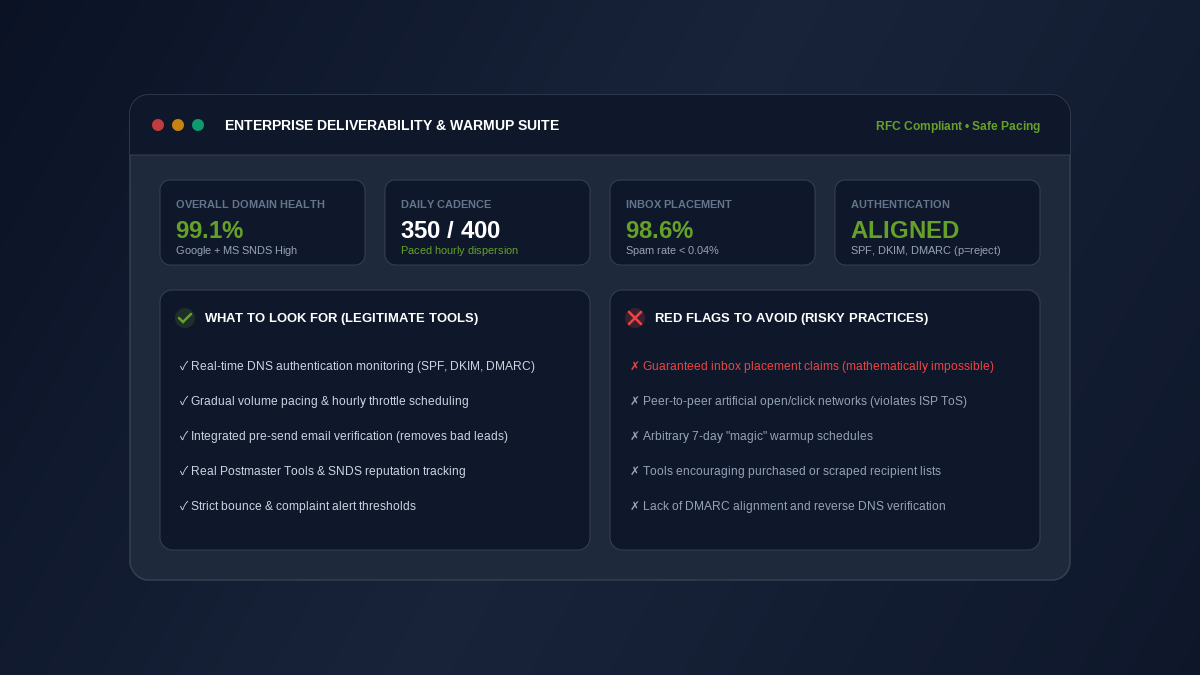
Legitimate Warmup vs. Artificial Engagement Networks
In recent years, several third-party services launched so-called "warmup pools" that automatically send emails back and forth between bot accounts, simulating opens, clicks, and replies. Major mailbox providers explicitly prohibit artificial engagement manipulation in their terms of service.
Google Workspace and Microsoft 365 track global network telemetry. When thousands of unrelated domains repeatedly exchange identical template sentences and immediately mark each other as "Not Spam" within seconds, machine-learning filters flag the synthetic fingerprint. Rather than bypassing spam filters, these networks frequently lead to rapid domain penalties and workspace suspensions. Authentic deliverability requires real subscriber engagement.
Common Email Warmup Mistakes to Avoid
- Skipping DNS Verification: Sending before SPF, DKIM, and DMARC have fully propagated.
- Sudden Volume Escalations: Jumping from 50 emails/day to 500 emails/day overnight.
- Importing Stale or Purchased Lists: Hitting hidden spam traps and dormant mailboxes.
- Ignoring Spam Complaints: Allowing spam complaint rates to climb above Google's 0.10% threshold.
Protect Your Sending Reputation Before Hitting Send
Never warm up a new sending domain with unverified data. Use Emails Verification to filter out syntax errors, dormant MX records, disposable inboxes, and toxic spam traps with sub-400ms SMTP simulation.
Claim 100 Free Verification Credits ➔Frequently Asked Questions
Does email warmup guarantee 100% inbox placement?
No. Email warmup builds historical baseline metrics with mailbox providers, but no service or process can guarantee inbox placement. Inbox placement depends continuously on recipient engagement, low complaint rates (under 0.10%), valid authentication, and sending content that recipients genuinely expect.
Can I use simulated peer-to-peer reply networks to warm up my domain?
No. Major mailbox providers like Google and Microsoft identify automated bot pools and synthetic engagement networks through statistical traffic anomalies. Relying on fake opens and robotic replies risks severe domain blacklisting and manual spam penalties. Real recipient engagement is the only sustainable strategy.
What is the difference between email verification and email warmup?
Email verification checks the validity and deliverability of recipient addresses before you hit send (confirming MX records, SMTP handshakes, and filtering invalid inboxes). Email warmup is the operational practice of gradually introducing your outbound sending volume over weeks so destination ISPs learn to trust your sending domain.